
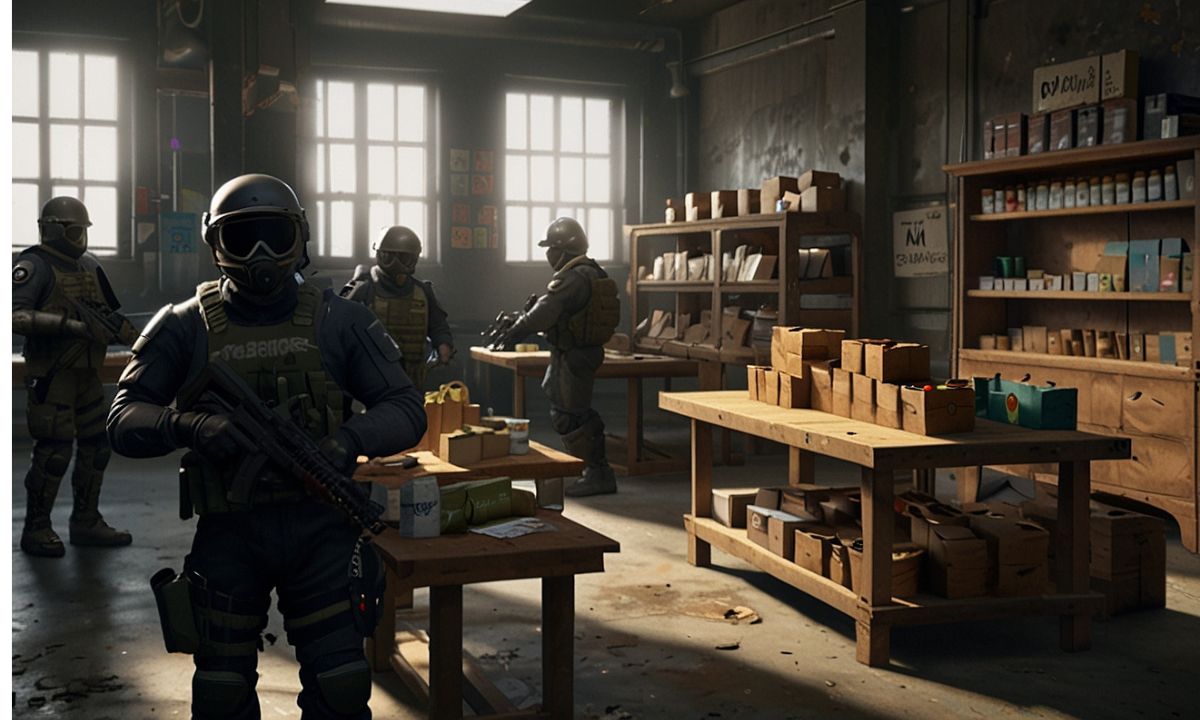
Ever stared at your Rainbow Six Siege inventory, packed with duplicate headgears and weapon skins you never use, and wondered how to turn them into something useful? Or maybe you’ve been chasing that perfect Black Ice skin for your main operator for years, only to watch it slip away in packs that never drop what you want. That’s where the R6 Marketplace steps in as a game-changer for active players, skin collectors, and anyone looking to monetize their collection without shady third-party deals.
Honestly, this isn’t talked about enough, but the official trading hub has quietly reshaped the Siege economy since its rollout. While it’s temporarily offline right now due to security work following a late-2025 incident, the system is poised to return stronger later in Year 11. In the meantime, let’s break down everything you need to know so you’re ready when it comes back online. Whether you’re eyeing elite sets or flipping discontinued items for R6 Credits, this guide covers the practical side of navigating the trading economy like a seasoned vet.
Table of Contents
- What Exactly Is the R6 Marketplace?
- How to Get Access (and Why You Might Be Locked Out)
- Step-by-Step: How to Sell Skins on the R6 Marketplace
- Buying Smart: Snagging Rare Items Without Overpaying
- The Trading Economy: Item Rarity, Pricing, and Fees
- Managing Your Inventory and Transaction History
- Best Skins to Buy (and Sell) Right Now
- Pros and Cons of Using the Marketplace
- Advanced Tips for Collectors and Traders
- FAQ
- Final Thoughts
What Exactly Is the R6 Marketplace?
The R6 Marketplace is Ubisoft’s official player-to-player trading platform for Rainbow Six Siege cosmetics. Think of it as the in-game economy’s safe, centralized hub where you exchange weapon skins, attachment skins, uniforms, headgears, charms, operator portraits, and card backgrounds using only R6 Credits. No real-money trades, no middlemen, just straight swaps between players.
It launched in beta and evolved into a full feature, giving everyone a legitimate way to offload unwanted gear or hunt down those hard-to-find pieces from past seasons. You access it through your Ubisoft Connect account on a web browser, not directly in-game, which keeps things secure but means you need to plan ahead.
You might not know this, but before this existed, the only options were grinding packs or hoping for lucky drops. Now? It’s a real trading economy where supply, demand, and item rarity actually matter. Black Ice skins from early seasons, for instance, hold serious value because they’re discontinued and limited in supply.
How to Get Access (and Why You Might Be Locked Out)
Access isn’t automatic, and that’s where a lot of frustration comes in. To jump in when the marketplace returns, you need:
- Clearance Level 25 or higher in Siege.
- 2-step verification (2FA) enabled on your Ubisoft account.
- Recently earned XP by playing at least one multiplayer match.
- A clean account with no active sanctions.
Head to the official marketplace page, log in with your Ubisoft Connect credentials, and you’re set. Enable 2FA in your account security settings if you haven’t already. It’s mandatory, and skipping it blocks everything.
Why can’t I access the R6 Marketplace? That’s the number one question I see pop up in player chats. Usually, it’s the 2FA hurdle or not having played recently. Ubisoft requires that recent match to verify you’re an active player, not some dormant account trying to snipe deals. If you’re hitting walls, double-check your email for any Ubisoft notifications and make sure your account is linked properly across platforms.
Pro tip from experience: Do this setup now, even while it’s offline. When it relaunches, the early wave of traders will move fast on rare items.
Step-by-Step: How to Sell Skins on the R6 Marketplace
Selling is straightforward once you’re in, but it pays to be strategic.
- Log into the marketplace site.
- Switch to the Sell tab.
- Your eligible tradable items from your Siege inventory will appear. (Not everything qualifies, especially current-season stuff until the next one drops.)
- Pick an item, set your asking price in R6 Credits, and create a sale order.
- Confirm, and it goes live.
A 10% transaction fee gets deducted from your proceeds. Sell something for 500 R6 Credits? You pocket 450. Orders stay active for 30 days before expiring, but you can cancel or adjust prices anytime before a match.
When a buyer matches your price (or you match theirs in a buy order), the trade completes automatically. The item leaves your inventory, credits hit your account, and you can track everything in the My Transactions tab.
I remember my first big sell: an old elite uniform I never used. Priced it conservatively, and it moved within hours. Lesson learned? Check recent sales on similar items to avoid underselling.
Buying Smart: Snagging Rare Items Without Overpaying
Buying works the opposite way. You create a purchase order by naming the maximum R6 Credits you’re willing to spend. The system then hunts for the lowest available seller price that fits under your cap.
Browse by item type or search directly. Filters help narrow down weapon skins, elite sets, or those coveted Black Ice variants. Set your price thoughtfully. Too low, and you wait forever. Too high, and you overpay.
Purchased items come with a 15-day cooldown before you can resell them. That’s Ubisoft’s way of curbing flippers abusing the system.
The Trading Economy: Item Rarity, Pricing, and Fees
Item rarity drives the whole thing. Common skins sit cheap. Discontinued Black Ice or limited elite sets command premium prices based on demand. Attachment skins on meta guns often move quicker than operator-specific ones.
Prices fluctuate with the community. A weapon skin might dip after a new season floods the market with alternatives, then spike when it becomes scarce again. Third-party trackers like stats.cc have historically offered price history graphs when the market is live, which is gold for spotting trends.
R6 Credits are the only currency here, no direct credit transfers between players. You earn or buy them through the game, then spend or earn more via trades. The 10% fee keeps things balanced and funds the platform.
Managing Your Inventory and Transaction History
Inventory management gets easier with the marketplace. Only eligible items show in the Sell section, so no guessing what’s tradable.
Your full history lives in My Transactions: active orders, completed buys and sells, even expired ones you can relist quickly. This is clutch for reviewing what you’ve spent or earned over time.
Keep an eye on your Ubisoft Connect account too. Everything syncs across your Siege progress.
Best Skins to Buy (and Sell) on the R6 Marketplace
Black Ice remains king for many collectors. Those early-season weapon variants on popular operators (think MP5 or AK-12) hold value and look slick in-game. Elite sets from past years are another hot category, especially full operator bundles with animations.
Discontinued event skins or pro league gear can be smart flips if you catch them low. Attachment skins pair nicely with universals for that cohesive loadout vibe.
My take? Focus on meta operators first. A Black Ice on your daily driver feels way better than a rare skin gathering dust on a benchwarmer.
Pros and Cons of the R6 Marketplace
| Aspect | Pros | Cons |
|---|---|---|
| Safety | Official Ubisoft platform, no scams | Still requires caution with account security |
| Convenience | Easy orders, automatic matching | Web-only access, not in-game |
| Economy | Real player-driven prices, earn credits | 10% fee on sales; cooldown on resells |
| Variety | Rare and discontinued items available | Not all inventory items are tradable |
| Limits | Fair access for level 25+ players | Active order caps (5 buy/5 sell) |
Overall, the pros win for most serious players. It beats random pack openings by a mile.
Advanced Tips for Collectors and Traders
Price tracking is your secret weapon. When live, monitor daily fluctuations on high-value items. Some experts disagree, but my approach is to lowball buy orders on dipping trends and sell during hype spikes.
Audit your inventory regularly. That dusty charm collection? It might fund your next elite set.
Stay patient with orders. Rushing prices rarely pays off. And always double-check 2FA before big trades.
FAQ
How to sell skins on R6 Marketplace? Log in, go to Sell, select your item, set a price, and confirm the order. It matches automatically with buyers. Remember the 10% fee.
Why can’t I access R6 Marketplace? Common reasons include not being level 25, missing 2FA on your Ubisoft account, or not having played a recent match for XP verification. Check for account sanctions too.
What about R6 Marketplace transaction history? Everything shows in the My Transactions tab: active orders, completed deals, and expired listings. It’s your full audit trail.
R6 Marketplace price tracking: how do I do it? When active, use in-item history views or community trackers for past sales data. Spot trends to time your buys and sells.
Best skins to buy on R6 Marketplace? Black Ice on popular weapons, elite full sets, and discontinued attachments usually offer the best value and resale potential.
How to get R6 Marketplace beta access (or full access now)? It’s rolled out to all eligible players now (level 25+, 2FA). No separate beta signup needed anymore, but prepare your account in advance.
R6 Marketplace credit transfer: is it possible? No direct player-to-player credit transfers. You earn credits by selling items and spend them on buys.
Final Thoughts
The R6 Marketplace has turned Siege from a one-way cosmetic grind into a living, breathing trading economy. Sure, it’s offline at the moment while Ubisoft locks down security, but when it returns, it’ll be the best tool in your kit for building the ultimate loadout without breaking the bank.
In my experience, the players who win big are the ones who prepare early, watch the market, and trade smart instead of emotionally. So, go enable that 2FA, dust off your inventory, and get ready. What rare skin are you hunting first when it comes back? Drop your thoughts below. The hunt never stops.